
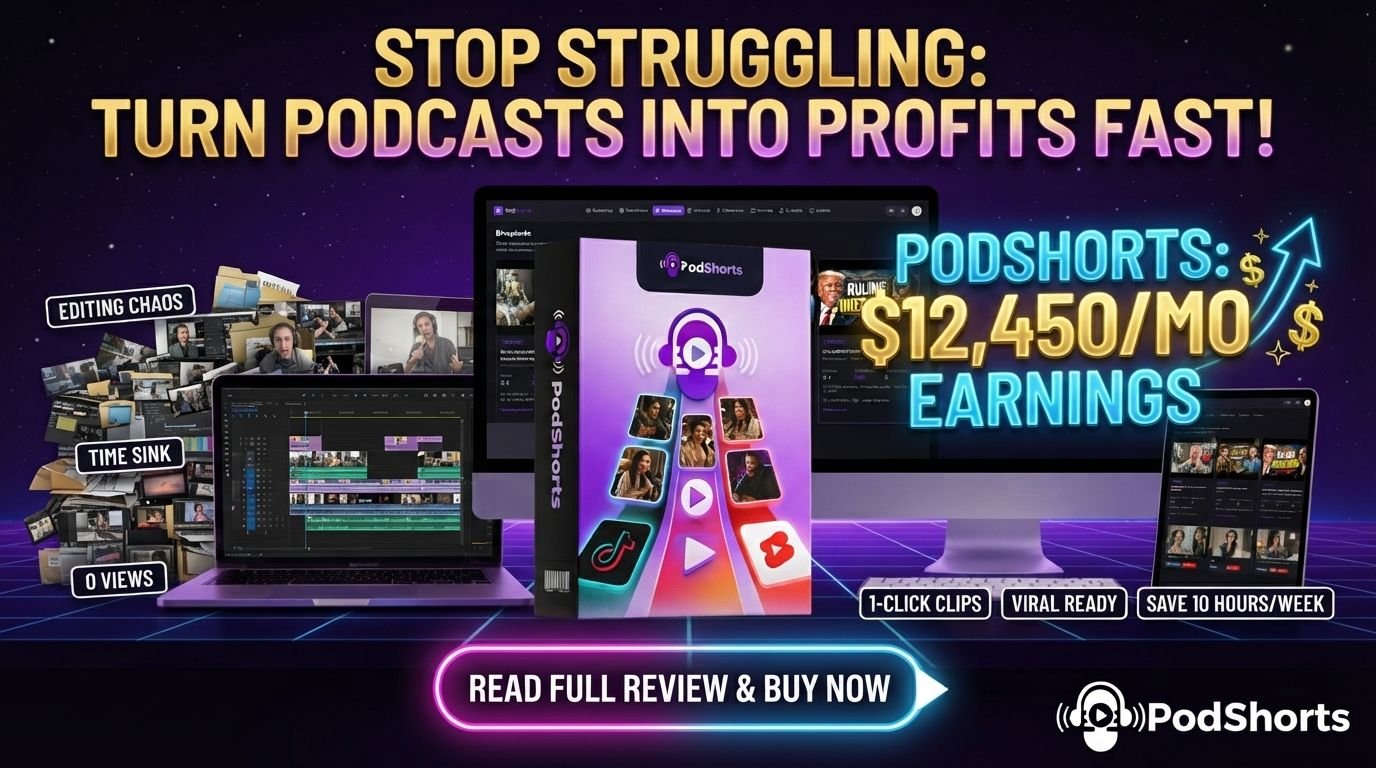
PodShorts Review 2026: Is Abhi Dwivedi's AI Podcast Clip Software Worth Buying?
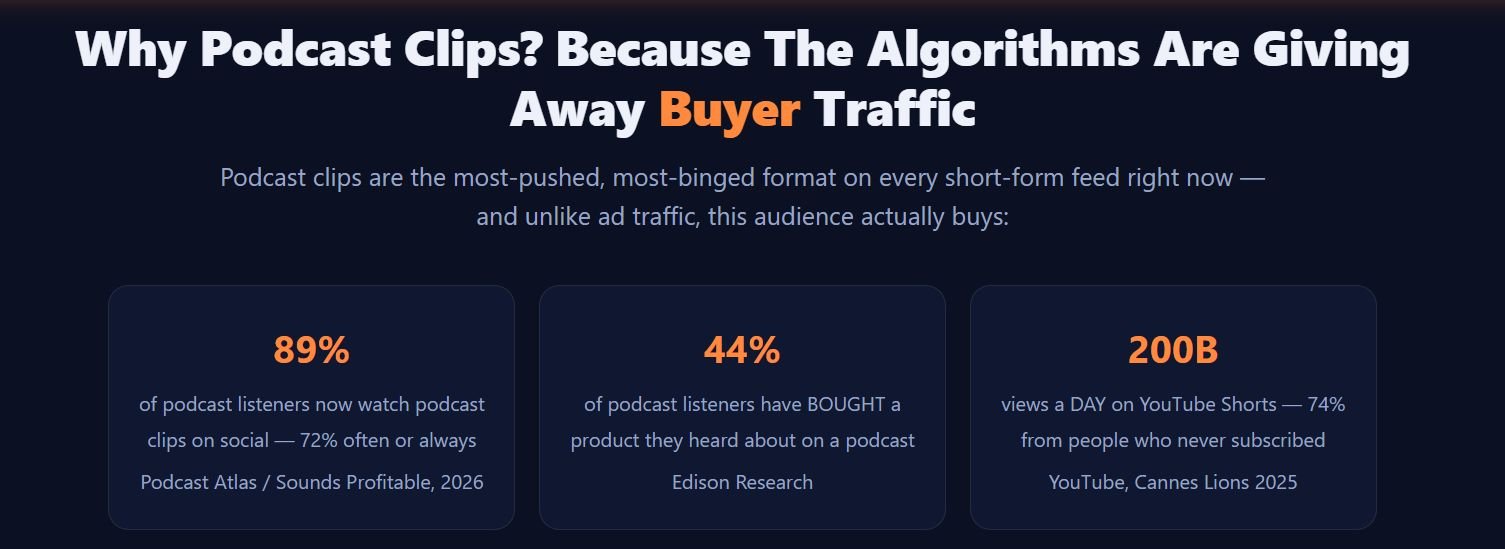
If you've spent any time on TikTok, Instagram Reels or YouTube Shorts lately, you've probably noticed how many clips aren't standalone videos at all. They're cut from podcasts. Two people talking, a bold caption burned across the bottom, a punchy 30-second hook.
The problem is that getting into that traffic stream has traditionally meant becoming an actual podcaster first. Buying microphones, finding a co-host who shows up every week, recording for hours, editing for even longer. That's a real barrier, and it's why most people who see this trend never act on it.
PodShorts, created by Abhi Dwivedi, is positioned as a shortcut around that barrier. AI-generated hosts, AI-performed episodes, auto-cut vertical clips, and auto-posting built around a monetized link. This review breaks down what it actually claims to do, who it's realistically built for, and where you should slow down before buying.
Video above plays muted by default — turn the sound on to hear the AI hosts for yourself.
PodShorts Review 2026 – Quick Overview

| Creator / Vendor | Abhi Dwivedi (VineaSX Solutions) |
|---|---|
| Product | PodShorts — AI podcast show & clip generator with auto-posting |
| Launch Date | August 25, 2026 |
| Launch Time | 11:00 AM EDT (cart open); prelaunch webinar at 10:00 AM ET the same day |
| Front-End Price | $37 one-time at earlybird, rising in stages through the launch week |
| Pricing Type | One-time front-end + optional yearly recurring upgrades (FastPass, Bundle, PodCoach AI) |
| Bundle Deal | $317/year, coupon POD for $50 off ($267/year) — see the dedicated section below |
| Skill Level | Positioned as beginner-friendly; vendor describes a 60-second onboarding wizard |
| Guarantee | 14-day guarantee (per vendor materials) |
| Category / Niche | AI content creation, podcast/short-form video automation, social media marketing |
| Support | Vendor-stated 24/7 support desk |
| Best For | People who want to test the podcast-clip traffic trend without production overhead — see "Who Is PodShorts For?" below |
| Overall Verdict | Worth considering for a low up-front price if you understand it as a content-and-traffic tool, not a guaranteed income system — see full verdict below |
Quick Verdict
- What it is: Software that generates AI-hosted podcast episodes, cuts them into short vertical clips, auto-posts them, and routes traffic to a monetized bio-link.
- Best for: Affiliates, agencies, and creators who want to occupy the podcast-clip trend without recording gear or a co-host.
- Main strength: It compresses several separate jobs into one workflow — scripting, hosting, editing, clipping, captioning, scheduling, posting, and link management.
- Main limitation: Traffic and content generation are automated, but audience growth and actual commissions still depend on the buyer's niche and follow-through.
- Current price: $37 front-end at earlybird (rising during launch week).
- Verify before buying: Exact render times, current-episode caps on the front-end plan, and platform AI-disclosure rules in your region.
What Is PodShorts?
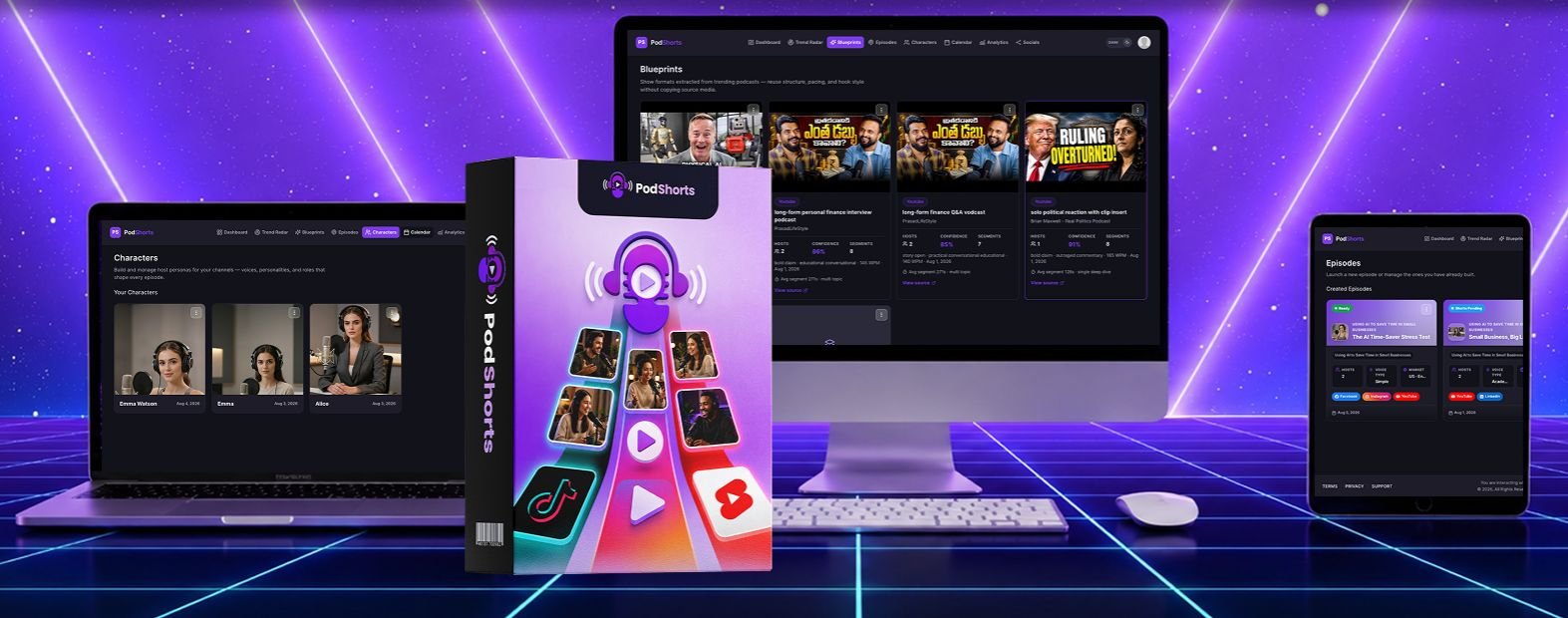
PodShorts is a cloud-based software tool that turns a typed topic into a complete short-form content package. That package includes an AI-performed podcast-style episode, a set of auto-cut vertical clips with burned-in captions, and scheduled posts to TikTok, Instagram and YouTube Shorts.
According to the vendor, it runs on seven internal AI modules that each handle one part of the pipeline. That covers trend research, host casting, script and voice performance, clip cutting, platform-specific variation, publishing, and link monetization.
It belongs to the AI content-automation category, closer to a faceless-video generator than to traditional podcast recording software, because there's no live recording step at all. What it is not, based on the supplied materials, is an audience-building guarantee or a client-acquisition service — those remain the buyer's job even after the content and posting are automated.
The Real Problem PodShorts Is Trying To Solve
Three things tend to stop people from capturing podcast-clip traffic, and they're worth naming honestly. A decent recording setup plus 3–5 hours per episode for scripting, recording and rough editing adds up fast, before clipping even starts.
A lot of podcast-style content also depends on back-and-forth chemistry between two people, and coordinating a reliable co-host is a common reason shows stall out. Plenty of people who understand the opportunity simply don't want to be on camera or don't like how they sound recorded.
PodShorts is built to remove all three by generating the hosts, the conversation, and the editing in software. Whether that's the right trade-off for you depends on how much you value your own real voice and face on the content versus getting something published today.
How Does PodShorts Work?
Step 1 — Pick a niche and cast the show
The buyer selects a niche from a wizard or types their own, then chooses either to clone their own face and voice or select from ready-made AI host personas. This cast is reused across episodes so the channel has a consistent identity.
Step 2 — Type a topic
The vendor's TrendRadar™ module suggests currently trending formats and topics in the chosen niche. The buyer can use one of those or type their own.
Step 3 — The AI generates the episode and clips
ShowForge™ performs a full multi-minute episode as a back-and-forth conversation. ClipGenie™ then cuts that episode into up to 15 vertical clips with burned-in captions, and the Variation Engine™ creates a platform-specific version of each one.
Step 4 — Publishing and monetization run on autopilot
AutoCast™ schedules and posts the clips to TikTok, Instagram and YouTube Shorts on a drip schedule. ProfitRouter™ manages a hosted bio-link page with niche-matched offers and per-clip click tracking at the same time.
PodShorts Features, Benefits & Use Cases
TrendRadar™ — Topic & Format Research
Scans podcast charts and short-form feeds to surface formats and topics currently gaining traction in a given niche.
Practical benefit
Removes the "what do I even talk about" blank-page problem that stalls a lot of new channels before episode one.
CastStudio™ — Hosts, Your Face/Voice or AI Avatars
Lets the buyer either clone their own face and voice to appear as the host, or select 2–4 ready-made AI host personas with distinct voices and personalities.
Practical benefit
Solves the camera-shyness and co-host-reliability problems described above, while still allowing a "real me" option for personal branding.
Important note
Verify how your own likeness is stored, and check platform rules on AI-generated or cloned-voice content before using it for client-facing work.
ShowForge™ — Episode Writing & Performance
Generates a complete 3–10 minute episode with natural turn-taking and back-and-forth banter from a single typed topic.
Practical benefit
Cuts out scripting and recording time entirely. The vendor states an originality gate keeps episodes from feeling templated, but that's worth judging from the demo yourself.
ClipGenie™ + Variation Engine™ — Clipping & Platform Uniqueness
Auto-cuts up to 15 vertical clips per episode with burned-in captions, then creates a unique variant of each clip per platform.
Practical benefit
Multi-platform posting of near-identical content can trigger duplicate-content suppression. The variation step exists specifically to reduce that risk, though results vary by platform.
AutoCast™ — Scheduling & Publishing
Direct auto-publishing and drip scheduling to TikTok, Instagram and YouTube Shorts, with staggered post times and automatic AI-content labeling.
Practical benefit
Removes the daily manual-upload habit that most creators eventually drop once life gets busy.
ProfitRouter™ — Monetized Bio-Link Page
A hosted bio-link page per channel with AI-suggested offers matched to the niche, automatic rotation toward the best-converting offer, and per-clip click tracking.
Practical benefit
Gives the channel a monetization path from the first post, instead of requiring a follower threshold first.
A Practical Way to Picture This
Imagine you're an affiliate marketer with a keto offer you already promote by email, but no video presence. You pick a health niche in PodShorts, cast two AI hosts, and type "keto myths people still believe."
The tool generates an episode where the hosts debate common myths, cuts 10–15 clips from it, and schedules them across the week while your bio-link rotates toward your keto offer with click tracking on each one. That's a realistic example of the intended workflow, not a guarantee of what results you'd personally see.
Who Is PodShorts For?
- Affiliate marketers who want a low-effort way to put offers in front of cold, short-form traffic instead of relying only on email or paid ads.
- Beginners with no audience who are drawn to the trend but were blocked by production requirements.
- Local-marketing and agency-minded buyers who see an opportunity producing branded short-form content for local businesses, though closing and retaining those clients is still a sales skill the software doesn't provide.
- Coaches and personal brands who want to clone their own face and voice and post consistently without a full production routine.
Who May Not Need PodShorts?
- Buyers who already have a working podcast or short-form production process they're happy with.
- Anyone who specifically wants unmistakably human-recorded content as their brand identity.
- People who won't realistically log in to pick niches and manage offers — automation reduces labor, but it doesn't run with zero oversight.
Pros
- Combines episode generation, clipping, captioning, variation and posting into a single dashboard.
- Includes a monetization layer from the first post, per the vendor.
- Both a "clone yourself" option and ready-made AI hosts are available.
- Auto-publishing to three major short-form platforms removes the manual-upload habit.
- Low front-end entry price relative to hiring an editor and scheduler separately.
Cons
- The funnel includes several upsells — read what's actually needed before adding to cart.
- Content quality and posting reliability are best judged from the live demo, not the sales copy.
- AI-hosted content sits in a platform-policy grey area that changes over time.
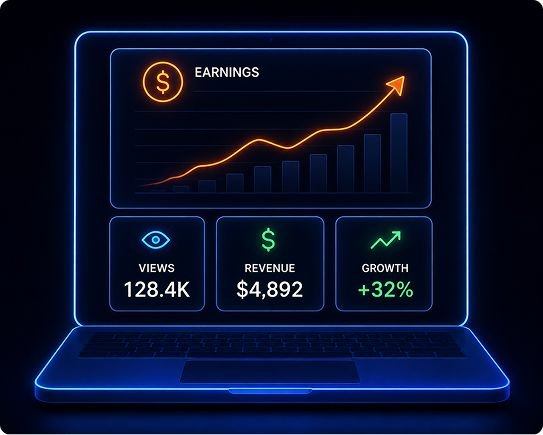
- Reported income examples in the beta testimonials are self-reported, not typical outcomes.
- Pricing rises in stages during launch week, so $37 is a limited-time entry point.
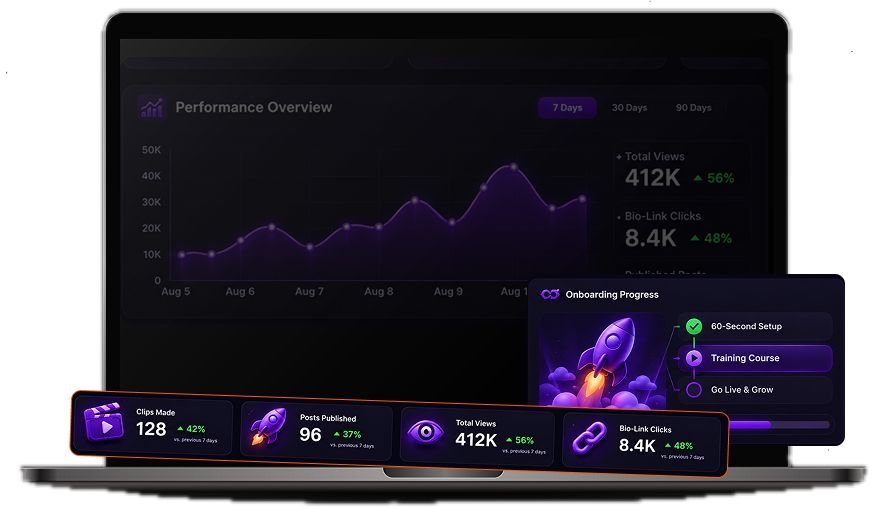
PodShorts Pricing
At the time of writing, the sales page lists the PodShorts front-end at $37 as an earlybird, one-time price. This price rises in stages throughout launch week (August 25–31, 2026), and after the cart closes the vendor states the product moves to a permanent monthly pricing model.
If you're reading this after August 31, 2026, expect different pricing than what's quoted here. Check the current offer page before assuming the $37 figure still applies.
| Front-End: PodShorts Premium | $37 (rising) — 1 channel, all 7 AI modules, 15 episodes/month with up to 15 clips each |
|---|---|
| FastPass (all upgrades bundled) | $230/year |
| Bundle Deal (direct link) | $317/year — coupon POD for $50 off |
PodShorts Bundle Deal – Is It Worth It?
According to the vendor, the PodShorts Bundle is a single $317/year purchase that includes the front-end plus every upgrade sold separately during launch. That's Scale, Agency, PodCoach AI and Amplify, along with all FastPass bonuses and three additional bonus apps.
It does not include the DFY Show Network or the MegaBundle, which are offered separately at checkout. Use the code below to apply the current launch discount:
POD — $50 off the Bundle ($317 → $267/year)
What the bundle includes at a glance
- PodShorts front-end (all 7 core AI modules)
- PodShorts Scale — more channels and monthly generation capacity
- PodShorts Agency — white-label dashboard and client-facing tools
- PodCoach AI — an AI assistant trained on the buyer's own dashboard data
- PodShorts Amplify — expands posting from 3 to 15 platforms, plus an SEO blog engine
- All FastPass launch bonuses and training
- 3 bonus apps: AffiliateReelAI, AISellers, ShopReel (full licenses)
Who the bundle makes sense for
If your plan is to run more than one niche channel, take on client work, or expand posting beyond three platforms, buying each upgrade individually would cost close to or more than the $267 bundle price. Consolidating into one purchase is the more efficient route for that buyer.
Who should stay on the front-end
If you're testing the concept with a single channel and don't yet know whether AI-hosted podcast clips fit your niche, the $37 front-end is the lower-risk way to evaluate that first.
Bonuses Included With PodShorts
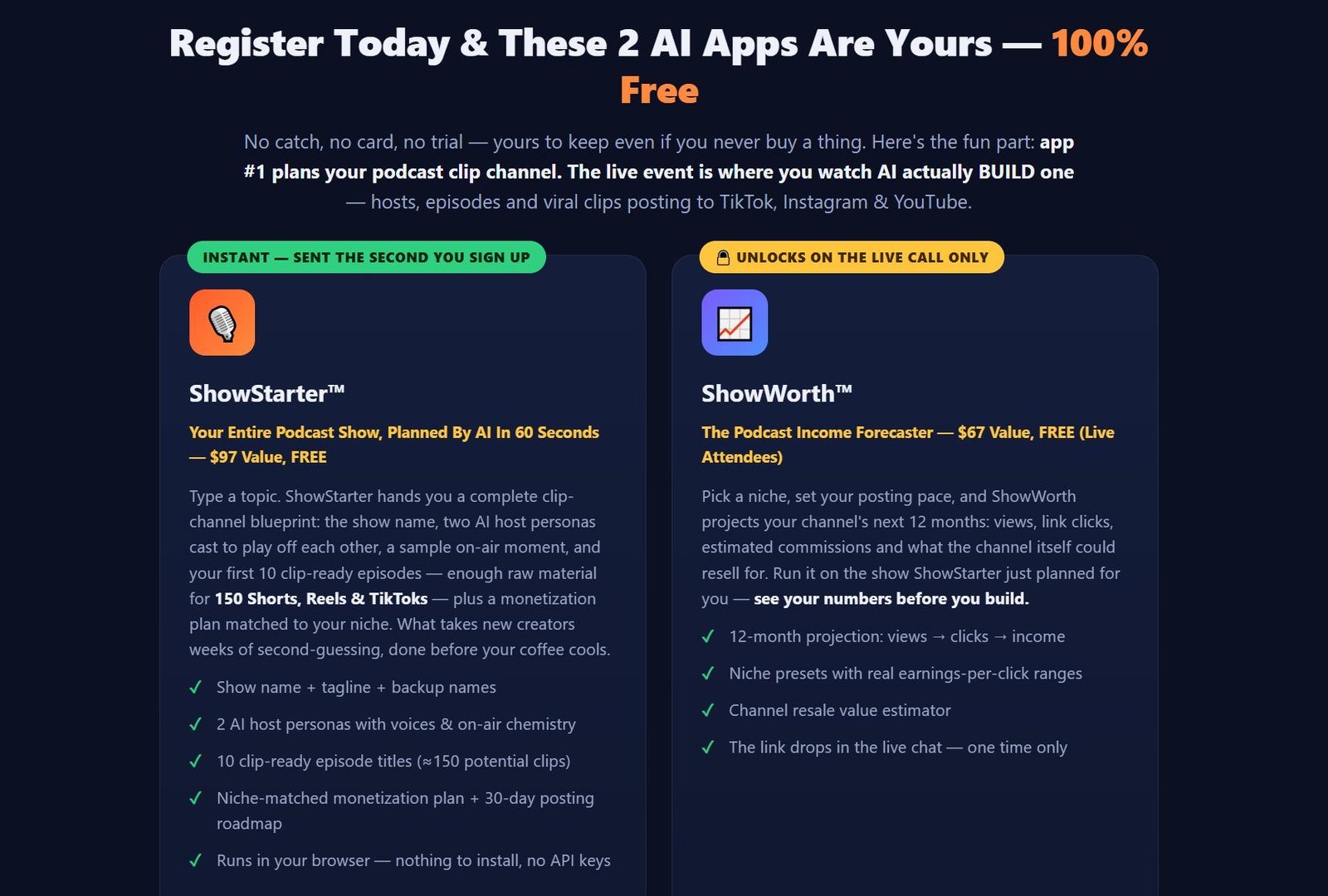
Per the prelaunch registration page, two bonus apps are tied to attending the vendor's live event rather than the core purchase itself.
- ShowStarter™ — plans a full podcast-show blueprint (show name, host personas, sample episode idea, 10 clip-ready episode titles, and a monetization plan) from a typed topic. Vendor-listed value: $97. Delivered instantly upon webinar registration.
- ShowWorth™ — an income-projection tool for a planned channel. Vendor-listed value: $67. Per the vendor, this unlocks only for people who attend the live webinar.
The sales materials also reference a commercial-rights bonus tied to the front-end purchase during the launch window. The exact license terms weren't fully detailed in the supplied materials, so confirm specifics on the official offer page.
PodShorts OTOs & Upgrades
| OTO 1: FastPass — $230/year | Bundles every upgrade below plus priority rendering, VIP onboarding and "Founding Member" status. Best for buyers who already know they want everything. |
|---|---|
| DFY Show Network — $197 | Vendor-built, pre-cast show networks in proven niches (shown only to Bundle/FastPass buyers). Skippable for buyers comfortable setting up their own niche and cast. |
| OTO 2: PodShorts Scale — $67 (downsell $47) | Raises channel count and monthly generation limits, plus higher-tier voice/video models. Skippable if one channel is the plan. |
| OTO 3: PodShorts Agency — $197 (downsell $97) | White-label dashboard, client management and a client-getting kit. Only relevant to buyers planning to resell channels as a service. |
| OTO 4: PodCoach AI — $97/year (downsell $67/year) | An AI assistant that answers questions using the buyer's own dashboard data. Optional — the core dashboard already surfaces performance data. |
| OTO 5: PodShorts Amplify — $67 (downsell $47) | Expands publishing from 3 to 15 platforms and adds an SEO blog auto-writer. Worth considering once a channel is validated. |
Downsells reduce quantity or scope on OTOs 2–5, not core functionality, per the vendor's materials. None of the OTOs are required to use the core front-end product.
Guarantee
The vendor states PodShorts is backed by a 14-day guarantee. Confirm the exact conditions — what counts as "used," refund method, and processing time — on the official checkout page before purchasing.
Is PodShorts Legit or a Scam?
PodShorts is sold through JVZoo, a long-running affiliate marketplace, by a vendor with a documented history of prior software launches and stated multi-year "Top Vendor" recognition on that platform. That's a meaningfully different risk profile than an anonymous, unverifiable seller.
The same vendor also markets other AI software, including an AI browser automation tool reviewed separately, and checking a vendor's track record across multiple products is a reasonable step before buying an early-launch tool like this one. "Legit" here means the company appears to be a real, ongoing business likely to deliver the software and support as described — it doesn't mean every income figure on the sales page should be treated as guaranteed.
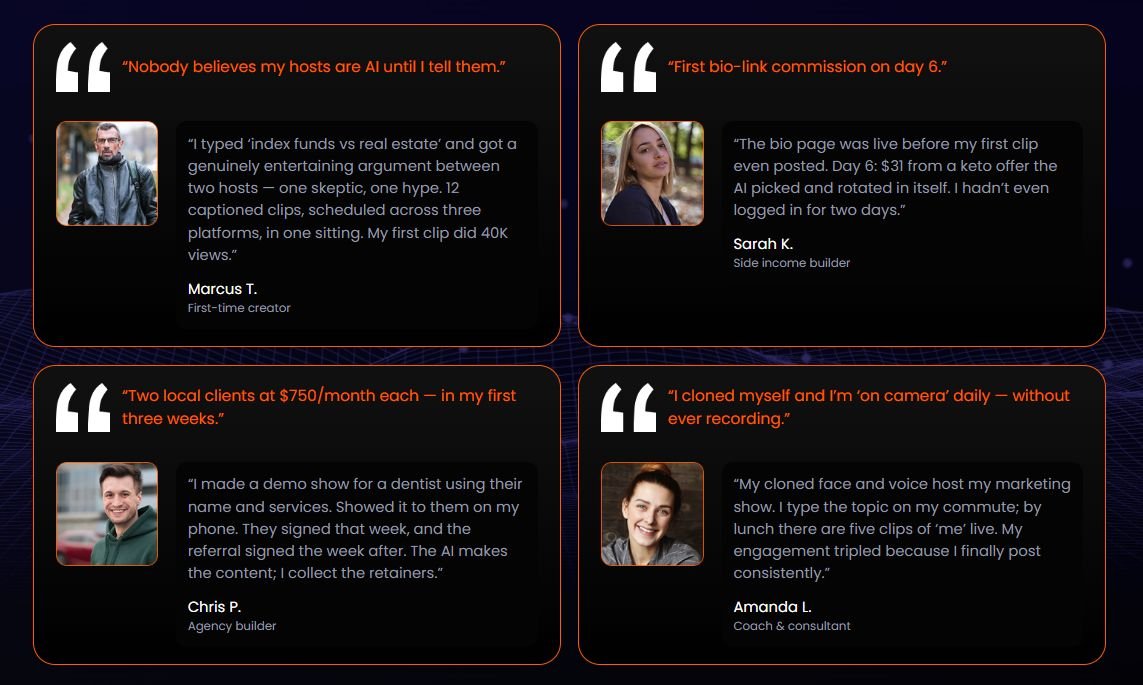
The beta-tester quotes and dollar figures in the launch materials are self-reported, individual results from the vendor's own beta group. Treat them as anecdotes that illustrate what's possible under specific conditions, not as a forecast for your own results.
PodShorts vs. Alternatives
PodShorts sits at the intersection of two existing categories: AI faceless-video generators and podcast production tools like Riverside or Descript. Faceless-video tools produce short clips but don't build a recurring "show" identity, while recording tools require an actual host and don't auto-post or monetize.
PodShorts' distinguishing claim is combining full AI-generated hosting with auto-posting and a built-in monetized link in one dashboard. Feature depth and current pricing for any named competitor should be verified directly, since those details weren't part of the supplied material for this review.
Common Objections, Answered
Do I really need this if I could do it manually?
You don't strictly need it, but doing the equivalent manually means recording, editing and clipping yourself, or paying an editor per episode. The value proposition is time and cost, not a new capability that's otherwise impossible.
Is it beginner-friendly?
Per the vendor, yes. A 60-second onboarding wizard and niche presets are built for buyers with no prior content or editing experience.
Do I need the OTOs to get value from it?
No. The front-end includes all seven core AI modules on one channel, and the OTOs are useful once you've validated the core workflow, not required to start.
Should I buy the front-end or the Bundle?
If you're unsure whether AI-hosted podcast clips fit your niche, start with the $37 front-end. If you already plan multiple channels or client work, the discounted Bundle is the more cost-efficient route.
What happens if I change my mind?
The vendor states a 14-day guarantee applies. Confirm the exact process on the official checkout page.
Is PodShorts Worth The Money?
At $37, the front-end is positioned against the cost of hiring an editor, a clip-cutting service and a scheduling tool separately, which realistically runs well beyond $37/month on its own. Where the real value lands depends on whether you actually use the output.
Buyers who pick a niche, stay consistent with topics, and monitor the offer-rotation dashboard are the ones most likely to get value from the monetization layer. Buyers looking for a fully passive, no-maintenance income stream are likely to be disappointed, since niche selection and offer quality still require ongoing judgment.
Should You Buy PodShorts?
Buy if:
You want to test the podcast-clip trend without production overhead, you're comfortable with AI-generated hosts (or want to use your own cloned face/voice), and you're prepared to spend some ongoing time picking niches, topics and offers.
Consider skipping if:
You specifically want unmistakably human, unedited content as your brand's identity, or you're looking for a completely hands-off income product with no ongoing input required.
Best fit:
Affiliate marketers, beginner creators, and agency-minded buyers who want a single dashboard instead of five separate tools.
Bundle may make sense if:
You're planning multiple channels, client work, or 15-platform reach from the start — see the Bundle section above.
OTOs may make sense if:
Only once you've validated your first channel; none are required to get value from the core product.
Bottom line:
PodShorts is a reasonable, low-cost way to test whether AI-generated podcast clips work for your niche. Go in treating it as a content-and-traffic tool that still needs your judgment, not as a guaranteed income system.
PodShorts FAQ
What is PodShorts?
An AI software tool that generates podcast-style episodes with AI hosts, cuts them into short vertical clips, and auto-posts them to TikTok, Instagram and YouTube Shorts with a monetized bio-link.
How does PodShorts work?
You pick a niche, cast AI hosts (or clone your own face/voice), type a topic, and the AI generates the episode, cuts the clips, and schedules posting automatically.
Who is PodShorts for?
Affiliate marketers, beginners, agencies and creators who want short-form content without recording, editing or a co-host.
How much does PodShorts cost?
The front-end starts at $37 as an earlybird price and rises in stages through launch week; check the offer page for the current price.
Is PodShorts beginner-friendly?
Per the vendor, yes — a 60-second onboarding wizard and niche presets are designed for buyers with no editing background.
Does PodShorts have a bundle deal?
Yes. The Bundle is $317/year and includes every upgrade plus bonus apps; coupon POD takes $50 off ($267/year).
What are the PodShorts OTOs?
FastPass, DFY Show Network, Scale, Agency, PodCoach AI and Amplify — none are required to use the core front-end.
Is PodShorts legit or a scam?
It's sold by a vendor with a public multi-year launch history on JVZoo. That supports legitimacy as a business, but income examples in the marketing are individual, self-reported results, not guarantees.
Is PodShorts worth it?
For a low one-time front-end price, it's a reasonable way to test the format — value depends on staying involved with niche and offer selection rather than expecting a fully passive result.
Does PodShorts have a guarantee?
The vendor states a 14-day guarantee applies; confirm exact terms at checkout.
Can I use my own face and voice instead of an AI avatar?
Yes — CastStudio™ includes a clone-your-own-face-and-voice option alongside ready-made AI host personas.
Which platforms does PodShorts post to?
TikTok, Instagram and YouTube Shorts on the front-end; the Amplify upgrade extends this to 15 networks plus Spotify/Apple Podcasts and an SEO blog engine.
Disclosure: This article contains affiliate links. If you purchase PodShorts through one of these links, I may earn a commission at no additional cost to you. This review is based on the vendor's official sales and launch materials; claims attributed to the vendor are labeled as such throughout.
Your PodShorts Bundle discount is still active
Code POD saves you $50 right now — it disappears the moment the cart closes.
- All 7 AI modules — hosts, episodes, clips, auto-posting, monetization
- Bundle adds Scale, Agency, PodCoach AI & Amplify (15 platforms)
- 14-day guarantee, per vendor terms